The screenshots show the game in Turkish, so menu names on your screen may differ slightly. The red frames show exactly where to tap.
In Z Route Redemption, VS (the Alliance Competition) has six phases, and different tasks earn points in each one. Because the scores of the tasks differ hugely, knowing which task is worth more gives your alliance a real advantage.
The highest-scoring tasks in the Radar Exploration phase
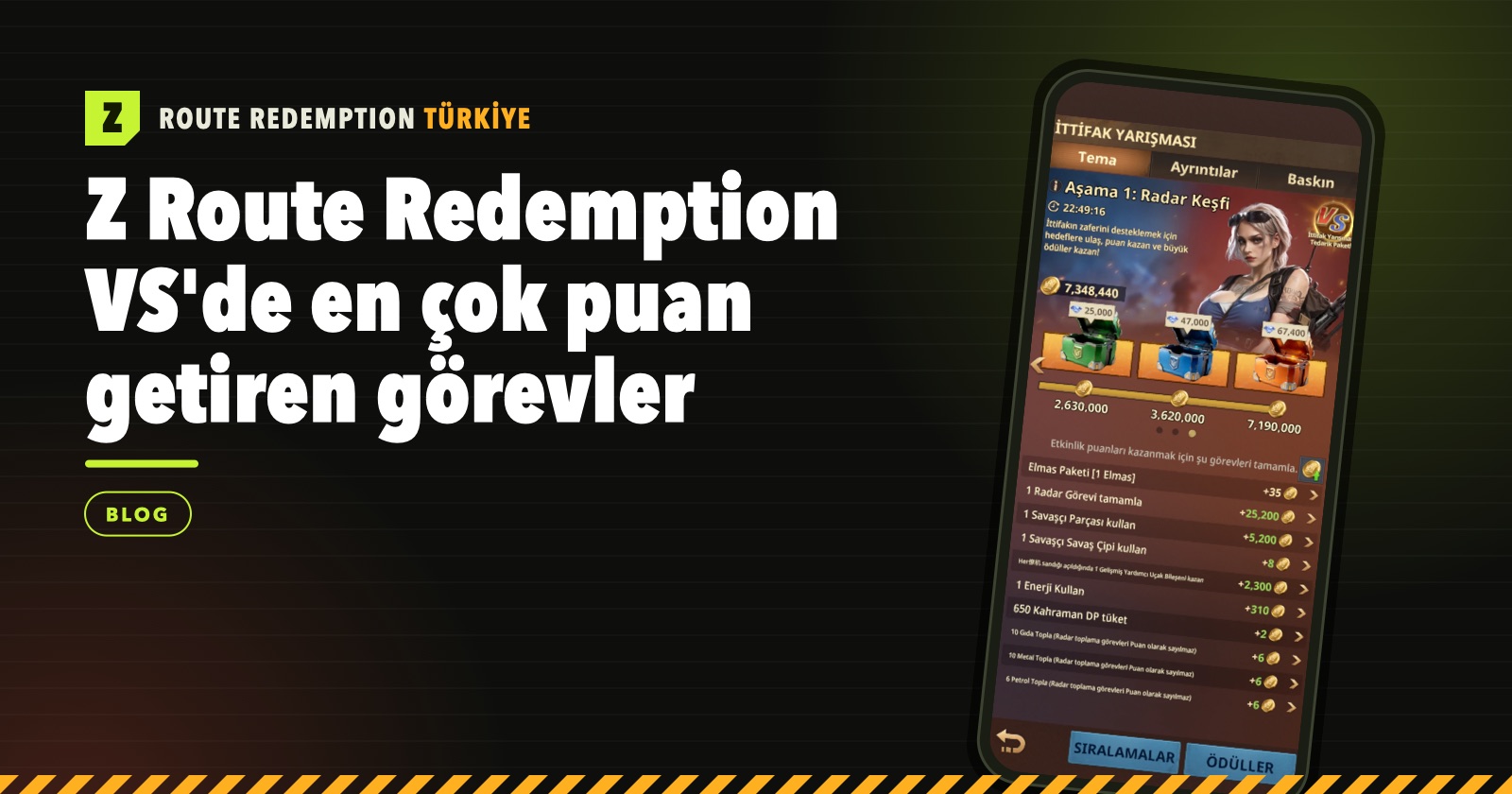
In the first phase, Radar Exploration, most of the points come from radar tasks:
- Complete 1 Radar Task: +25,200
- Use 1 Warrior Fragment: +5,200
- Earn an Advanced Support Aircraft Component: +2,300
- Use 1 Energy: +310
The highest-scoring tasks in the Base Construction phase
UR tasks stand out in the second phase. Sending a single UR Transport Truck gives about nine times the points of the most valuable task in Radar Exploration:
- Send a UR Transport Truck once: +220,000
- Complete 1 UR Special Ops mission: +144,000
- Recruit 1 Survivor: +3,200
Frequently asked questions
Which task gives the most points in Z Route Redemption VS?
It depends on the phase. In Radar Exploration the most valuable task is completing 1 Radar Task (+25,200). In Base Construction, sending a UR Transport Truck once gives +220,000 points.
Do resources gathered with the radar give VS points?
No. Food, Metal and Oil from radar gathering tasks do not count as points.
How many phases does Z Route Redemption VS have?
VS has six phases: Radar Exploration, Base Construction, Technology Research, Hero Training, Full Military Readiness and Enemy Assault. One phase is played each day.
Which VS phase is worth the most?
The Enemy Assault phase is worth 4 victories. Radar Exploration gives 1 and the other four phases give 2 each, for a total of 13 victories.
How can I see the tasks of other days in advance?
On the Alliance Competition screen, switch to the Details tab and tap the phase name. The Theme of the Day window that opens shows that phase's tasks and their points.
Reader questions
Ask a new question about this page, or ask a follow-up under any answer. The questions we answer are published in this section.
No questions have been answered on this page yet. Be the first to ask!